
When opening the context menu in Windows 10, I started noticing a delay—the menu was overloaded with applications I never used.
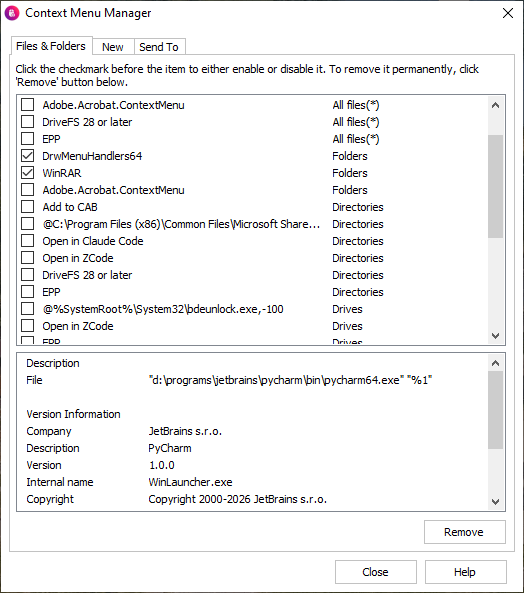
Using the good old Glary Context Menu Manager from Glary Utilities, I disabled all the entries.
However, the “Open project in ChatGPT” entry remained in the menu. This entry was not present in [HKCR, HKCU, HKLM]\Folder or [HKCR, HKCU, HKLM]\Directory, and certainly not in [HKCR, HKCU, HKLM]\AllFilesystemObjects.
The new mechanism for registering applications in the context menu, introduced with MSIX/AppX, is the AppxManifest.xml manifest.
Here is the relevant section from ChatGPT’s AppxManifest.xml:
|
1 2 3 4 5 6 7 8 9 10 11 12 13 14 15 16 |
... <com:Extension Category="windows.comServer"> <com:ComServer> <com:SurrogateServer DisplayName="ChatGPT"> <com:Class Id="d28d30e7-17f3-41d9-93f0-9bae6dc4884b" Path="app/resources/native/windows-account.node" ThreadingModel="STA" /> </com:SurrogateServer> </com:ComServer> </com:Extension> <desktop4:Extension Category="windows.fileExplorerContextMenus"> <desktop4:FileExplorerContextMenus> <desktop5:ItemType Type="Directory"> <desktop5:Verb Id="OpenProjectInCodex" Clsid="d28d30e7-17f3-41d9-93f0-9bae6dc4884b" /> </desktop5:ItemType> </desktop4:FileExplorerContextMenus> </desktop4:Extension> ... |
To find the required AppxManifest.xml among the many files in C:\Program Files\WindowsApps, I used Procmon. But there is an easier way—using WSL. I searched for the keywords Codex and ChatGPT:
|
1 |
rasa@dasnotebook:/mnt/c/Program Files/WindowsApps$ grep -r --include="*.xml" "Codex" . |
Using the GUID from the AppxManifest.xml we found, create a string value named: d28d30e7-17f3-41d9-93f0-9bae6dc4884b
under: [HKCU,HKLM]\Software\Microsoft\Windows\CurrentVersion\Shell Extensions\Blocked
Apparently, you need to log out for the change to take effect. For me, however, it worked immediately.
The GUID can also be found in C:\ProgramData\Microsoft\Windows\AppRepository.
In my case, it was the file OpenAI.Codex_26.xxxxxxxxx_x64_xxxxxxxx.xml (a copy of AppxManifest.xml).